Skip to content
Home
Blog
Fitness
Lifestyle
Auto Warranty
All Guides
Browse All Articles
Health & Fitness
Lifestyle
Food
Home & Living
Sports
Pets
Cars
Technology & Security
Investing
Politics
General
Contact
x
Home
Blog
Fitness
Lifestyle
Auto Warranty
All Guides
Browse All Articles
Health & Fitness
Lifestyle
Food
Home & Living
Sports
Pets
Cars
Technology & Security
Investing
Politics
General
Contact
Home
Blog
Fitness
Lifestyle
Auto Warranty
All Guides
Browse All Articles
Health & Fitness
Lifestyle
Food
Home & Living
Sports
Pets
Cars
Technology & Security
Investing
Politics
General
Contact
IT & Security
Home
-
IT & Security
IT & Security
October 20, 2026
(0) Comment
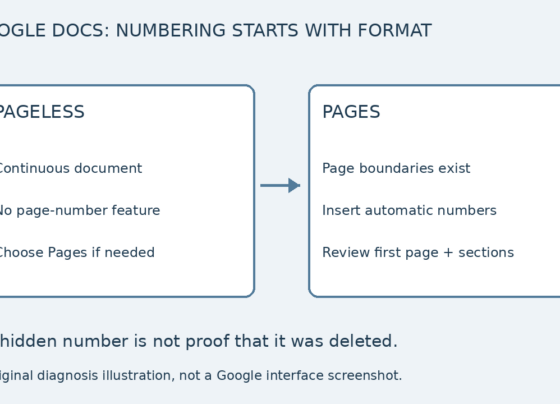
Google Docs Page Numbers Missing? Check Pages vs Pageless
If you cannot add page numbers in Google Docs, check whether the document is Pageless before changing margins or typing…
IT & Security
October 20, 2026
(0) Comment
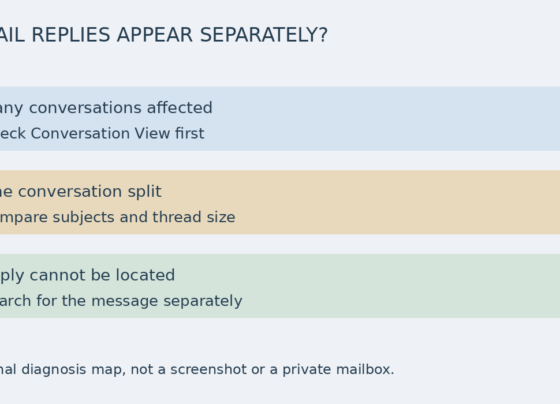
Gmail Replies Appear Separately: Check Conversation View and Splits
If Gmail replies appear separately, first decide whether many email exchanges are affected or only one conversation has split. Check…
IT & Security
October 20, 2026
(0) Comment
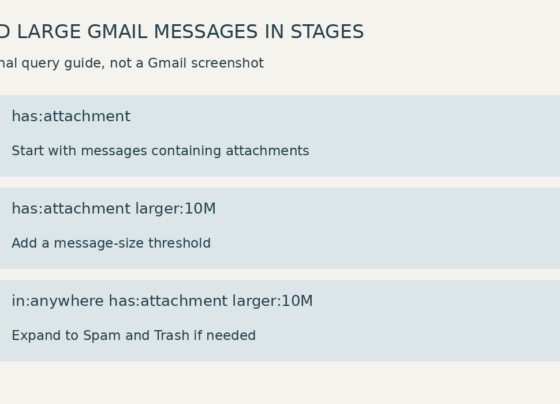
Find Large Gmail Messages With Attachments
To find large Gmail messages that have attachments, start with has:attachment larger:10M in Gmail’s search box on a computer. This…
IT & Security
October 19, 2026
(0) Comment
Use a Bookmark in Google Docs to Link to a Specific Place in the Document
A long Google Doc may contain a location you want readers to reach directly, such as a checklist or reference…
IT & Security
October 19, 2026
(0) Comment
Add a Table of Contents in Google Docs From Real Heading Styles
A table of contents is more useful when it follows the document’s actual heading structure. In Google Docs, use heading…
IT & Security
October 19, 2026
(0) Comment
Group Related Tabs in Chrome With a Name That Explains the Project
A tab group can keep a small set of related pages recognizable during a project. Name it for the work…
IT & Security
October 19, 2026
(0) Comment
Pin a Chrome Tab for a Frequently Used Page and Unpin It When the Job Ends
A pinned Chrome tab is a compact way to keep a frequently used page in the tab strip. It is…
IT & Security
October 19, 2026
(0) Comment
Create a Second Desktop in Windows 11 for a Separate Work Area
A second Windows desktop gives you another work area for open applications. It can help you distinguish two activities without…
IT & Security
October 19, 2026
(0) Comment
Pin a Folder to Quick Access in Windows 11 File Explorer
A deeply nested folder can be easy to lose between work sessions. Quick access in Windows File Explorer gives you…
IT & Security
October 19, 2026
(0) Comment
Keep a Google Docs Heading With the Paragraph That Follows It
A heading stranded at the bottom of a page separates the label from the content it introduces. In a pages-format…
1
2
3
...
8